
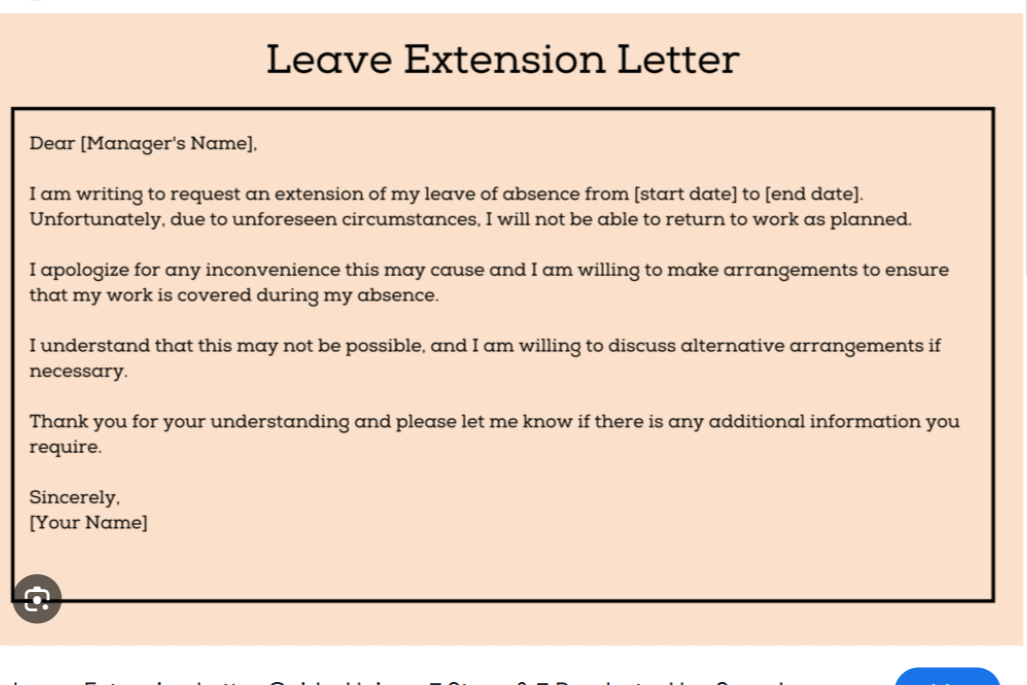
Life throws curveballs. Maybe your recovery is slower than expected, a family emergency needs more time, or travel delays trap you away from work. When that happens, you’ll need to ask for more time off — politely, clearly, and quickly. This guide shows you how to write a leave extension request that’s professional, honest, and easy to approve. It also gives ready-to-use templates for email and letter formats.
What is a leave extension request?
A leave extension request is a short, formal note to your manager or HR asking to extend an already approved leave. It explains why you need extra days, how long you need, and how your work will be covered while you’re away. Keep it respectful and to the point — your manager needs facts, not long stories.
Why you should write one (and why it helps)
- Shows respect for company rules and your manager’s time.
- Gives your team a chance to plan and cover important tasks.
- Increases your chance of approval if you explain clearly and give proof, when needed.
Common reasons people request a leave extension
- Recovery after surgery or ongoing medical treatment
- Postnatal or maternity complications
- Family emergencies (serious illness, care for a relative)
- Travel delays or legal/property matters
- Mental health needs or burnout
- Personal situations that require more time away
If the reason is medical, attach a doctor’s note if your company requires documentation.
How to write a leave extension request — step by step
Follow these simple steps to build a short, clear request that covers everything your manager needs.
1. Check your company’s policy first
Before writing, look up your company’s leave policy. Some places need medical certificates or specific forms. Doing this first can save time and prevent rejections.
2. Use the right format
If your company prefers email, send an email. If they want a formal letter, use letter format. Either way, keep it professional.
3. Include essential details
Make sure to include:
- Your name, job title, and department.
- Original leave dates and the date you were supposed to return.
- Clear reason for the extension (brief).
- New leave end date and expected return date.
- Any documents you can provide (doctor note, travel proof).
- Who will handle your urgent work while you’re gone.
- How to reach you for emergencies.
4. Offer a backup plan
Show you’ve planned for work coverage. Name a colleague who will take urgent tasks, or explain how you’ll be available for emergency calls or emails.
5. Close politely
Say thank you and sign off with your full name and contact info.
Quick checklist before you send
- Did you attach necessary documents?
- Did you state new return date clearly?
- Did you explain who’s covering your tasks?
- Did you check company policy?
- Is the tone respectful and professional?
Short subject line ideas (for email)
- Request to Extend Leave — [Your Name]
- Leave Extension Request: [Original Return Date → New Return Date]
- Request: Extension of Leave Due to [Reason]
Ready-to-use templates
Below are short, editable templates. Replace bracketed text with your details.
Template 1 — Medical Leave Extension (Email)
Subject: Request for Medical Leave Extension
Dear [Manager’s Name],
I hope you are well. I was on medical leave from [Original Start Date] to [Original End Date]. My doctor has advised additional rest, and I kindly request an extension until [New End Date]. I have attached the updated medical certificate.
I’ve informed [Colleague’s Name] to cover urgent tasks, and I can be reached at [phone/email] for emergencies.
Thank you for your understanding.
Sincerely,
[Your Name]
[Job Title]
[Contact Information]
Template 2 — Maternity Leave Extension (Letter or Email)
Subject: Maternity Leave Extension Request
Dear [Manager’s Name],
I am currently on maternity leave and was scheduled to return on [Original Return Date]. Due to postnatal health concerns, I request an extension until [New Return Date]. I have arranged for [Colleague’s Name] to handle my key responsibilities and am available for urgent issues by phone.
Thank you for your support and understanding.
Warm regards,
[Your Name]
[Job Title]
[Contact Information]
Template 3 — Short Personal Leave Extension
Subject: Request to Extend Leave
Hi [Manager’s Name],
I am writing to request a short extension to my approved leave. I was due back on [Original Return Date] but need to extend until [New Return Date] for personal reasons.
I have coordinated coverage with [Colleague’s Name] and will respond to any urgent messages as needed.
Thanks,
[Your Name]
Template 4 — Family Emergency Extension
Subject: Leave Extension Request — Family Emergency
Dear [Manager’s Name],
I am currently caring for a family member with a medical emergency and need more time at home. I request an extension until [New End Date] and will keep you updated. [Colleague’s Name] will handle my immediate duties in the meantime.
Thank you for understanding.
Sincerely,
[Your Name]
Tips to increase approval chances
- Ask early — don’t wait until the last minute.
- Be honest but brief about the reason. You don’t need to overshare.
- Attach proof if required (doctor’s note, travel receipts).
- Show you care about work continuity — name backup persons or handover notes.
- Offer to support from a distance if you can (check email once a day, take urgent calls).
Common mistakes to avoid
- Waiting until the last day to ask.
- Being vague (“personal reasons” without context when context is needed).
- Forgetting to mention who covers work.
- Sending an informal message (avoid casual language like “Hey boss, need more time”).
- Not checking company policy.
Frequently Asked Questions (FAQs)
Do I always need a reason?
Yes — give a short reason. You don’t need to go into private details, but a basic explanation builds trust.
Will I be paid for the extra days?
That depends on your company’s leave rules. If you’ve used up paid leave, you might request unpaid extension. Always check with HR.
What if my manager says no?
Ask for feedback: why it was denied and what alternatives exist (shorter extension, unpaid leave, remote work). Offer a solution that helps the team.
How long can an extension be?
There’s no fixed rule. It depends on company policy, your role, and the reason for the request. Short extensions are easier to approve.
Should I inform colleagues?
Yes — if your absence affects their work, notify them and share handover details.
Example handover note (short)
- Project: [Name] — [Colleague] will handle daily updates.
- Client: [Name] — For urgent client issues, contact [Colleague Phone/Email].
- Deadline: [Date] — [Colleague] will submit deliverables.
Final action plan — what to do now
- Check your company leave policy and collect any documents (doctor’s note, etc.).
- Pick one of the templates above and fill in your details.
- Send the request promptly to your manager and CC HR if required.
- Confirm that your team knows who will cover your work.
- Keep lines of communication open and update your manager if plans change.
Be clear, be honest, and make it easy for them to say yes
A leave extension request doesn’t need to be long or complicated. Say what happened, how long more you need, and how work will keep moving. Being polite, providing proof when needed, and offering a backup plan makes managers more likely to approve your request. Use the templates above to save time — and remember, clear communication keeps trust strong between you and your employer.
