
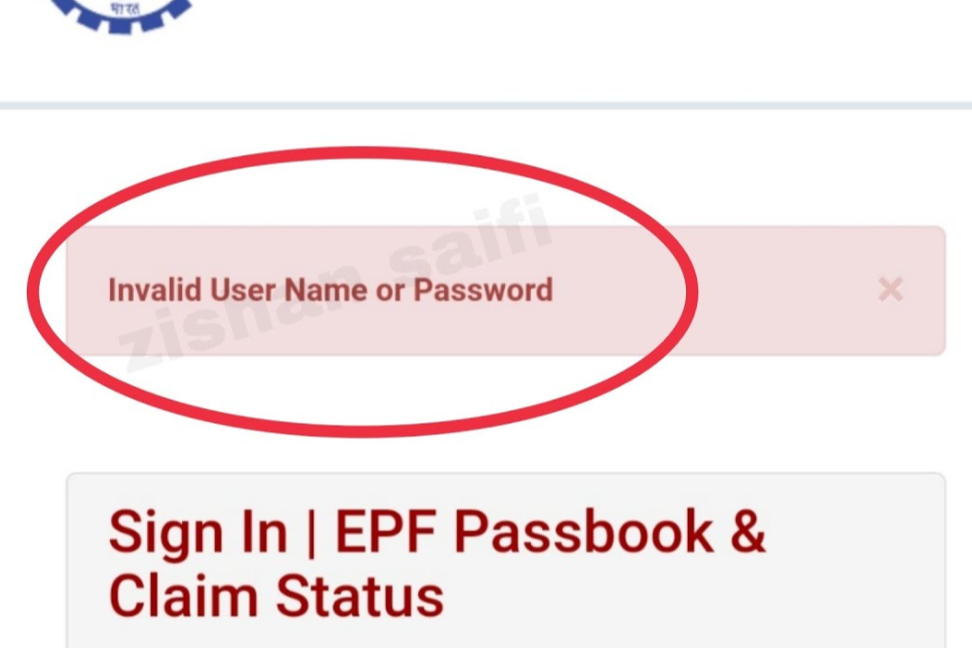
If you get an “Invalid username or password” message when trying to open your EPFO passbook, it’s annoying — but fixable. This guide walks you through the most likely causes and gives step-by-step solutions you can try yourself. By the end you’ll know how to log in, what to do if the account is locked, and how to stop this from happening again.
What the EPFO Passbook Is (Quick and Simple)
The EPFO passbook shows your Employees’ Provident Fund (EPF) contributions, employer deposits, and interest. Think of it like a bank statement for your retirement savings. You need your UAN (Universal Account Number) or linked mobile number and a password to log in.
Why You See “Invalid Username or Password”
Here are the usual reasons this error appears:
- Typo in the UAN or password (extra space, wrong letter case).
- You used the wrong login method (UAN vs. mobile number).
- Website or server problems at EPFO (temporary).
- The account is linked to a different mobile or email than you expect.
- Browser cache or outdated browser interfering with login.
- Account locked after too many failed attempts.
- Password change not yet updated across EPFO systems (delay).
Now let’s fix it.
Quick Checklist — Try These First
Before anything complicated, run through this checklist (it solves most problems):
- Re-type your username and password slowly. Watch for CAPS LOCK or extra spaces.
- Use your UAN as the username if you can. If you normally use a mobile number, try the UAN instead.
- Clear your browser cache and cookies or try a different browser (Chrome or Firefox recommended).
- Try logging in at a different time — early morning or late night — in case servers are busy.
- If you changed your password recently, wait a few hours and try again.
If the checklist doesn’t help, follow the detailed steps below.
Step-by-Step Fixes
1. Make Sure You’re Using the Right Username
- Use your UAN (12-digit Universal Account Number) when possible.
- If your UAN isn’t working, try the mobile number that’s registered with EPFO.
- Remove any extra spaces before or after the number.
2. Reset Your Password Properly
- Click “Forgot Password” on the EPFO login page.
- Enter your UAN or registered mobile and follow the OTP steps.
- Create a new password that you can remember — keep it simple but secure.
- After resetting, WAIT at least a few hours if login still fails (sometimes the system needs time to update).
Tip: If you can’t receive OTPs, check that your mobile number is the one linked to EPFO. If not, contact your employer or EPFO support to update it.
3. Clear Cache and Use a Supported Browser
- Open your browser settings → Privacy → Clear browsing data (cookies & cached files).
- Restart the browser and try again.
- Use the latest version of Google Chrome or Mozilla Firefox.
4. Try Off-Peak Hours
If the site is slow or gives errors often, try logging in between 5–8 AM or after 10 PM. Fewer users means less server load and fewer errors.
5. Check for Account Lock or Block
If you tried logging in many times with wrong info, EPFO may temporarily lock your account. Actions to take:
- Wait 24 hours and try again.
- If still locked, contact EPFO support or raise a grievance from the EPFO portal.
6. Contact EPFO Support (When to Do It)
If none of the steps work, contact EPFO. Be ready with your UAN, name, and registered mobile number.
- Email:
- Toll-free number: 1800-118-005
When you contact them, explain exactly what you tried and mention any error messages. This helps them solve the issue faster.
How to Avoid Future Login Problems
Follow these easy habits to reduce problems later:
- Keep your mobile number and email updated with EPFO.
- Use a password manager to avoid typing mistakes.
- Regularly log in to your passbook so you catch problems early.
- Avoid trying many wrong passwords — it can lock your account.
- Use a modern browser and update it often.
Extra Tips & Real-World Examples
- Example 1: If you reset the password at night and can’t log in the next morning, wait 12–24 hours. One user fixed it after waiting because the backend took time to update.
- Example 2: If your employer registered your UAN with a different phone, ask HR to confirm the mobile number. That fixed login for many people who were getting OTPs on a different phone.
Quick Troubleshooting Flow (One-Page)
- Re-type credentials → still error?
- Clear cache & try different browser → still error?
- Reset password → wait 4–24 hours → try again.
- Try off-peak hours → still error?
- Check with HR/confirm registered mobile → still error?
- Contact EPFO support.
Frequently Asked Questions (FAQs)
Q: What username should I use for EPFO passbook?
A: Use your UAN (Universal Account Number) if available. If not, try the mobile number registered with your EPF account.
Q: I reset the password but still see “invalid password.” Why?
A: Sometimes EPFO systems take time to sync. Wait a few hours (up to 24) and try again. Also ensure you entered the new password exactly as created.
Q: How do I know if my EPFO account is locked?
A: The site may show a message or simply refuse login after multiple attempts. If in doubt, wait 24 hours and then try or contact EPFO support.
Q: Can EPFO customer support help if OTPs go to an old phone number?
A: Yes — contact your employer to update the registered number or raise a grievance with EPFO for help.
Q: Is there a way to view the passbook without the website?
A: Officially, the passbook is accessed via the EPFO portal or the UMANG app. Avoid third-party sites for security reasons.
Short Checklist to Copy (Keep This Handy)
- Use UAN as username.
- Check CAPS LOCK and spaces.
- Clear browser cache.
- Use Chrome or Firefox.
- Reset password and wait.
- Try off-peak hours.
- Contact EPFO if nothing works.
What to Do Right Now
- Try the quick checklist above.
- If still stuck, reset the password and wait at least a few hours.
- If that fails, contact EPFO support with your UAN and details.
You don’t need to panic when you see “Invalid username or password.” Most cases fix quickly with a reset, clearing the cache, or logging in at a quieter time. If everything fails, EPFO support can unlock or fix account details for you.
Start by carefully retyping your UAN and password, clear your browser cache, and attempt login during off-peak hours. If that doesn’t work, reset your password and wait a few hours for the change to take effect. Keep your mobile number and email up to date, and contact EPFO help or 1800-118-005) with your UAN ready if the problem persists. Follow these steps and you’ll get back into your EPFO passbook fast — and avoid the same problem again.
