
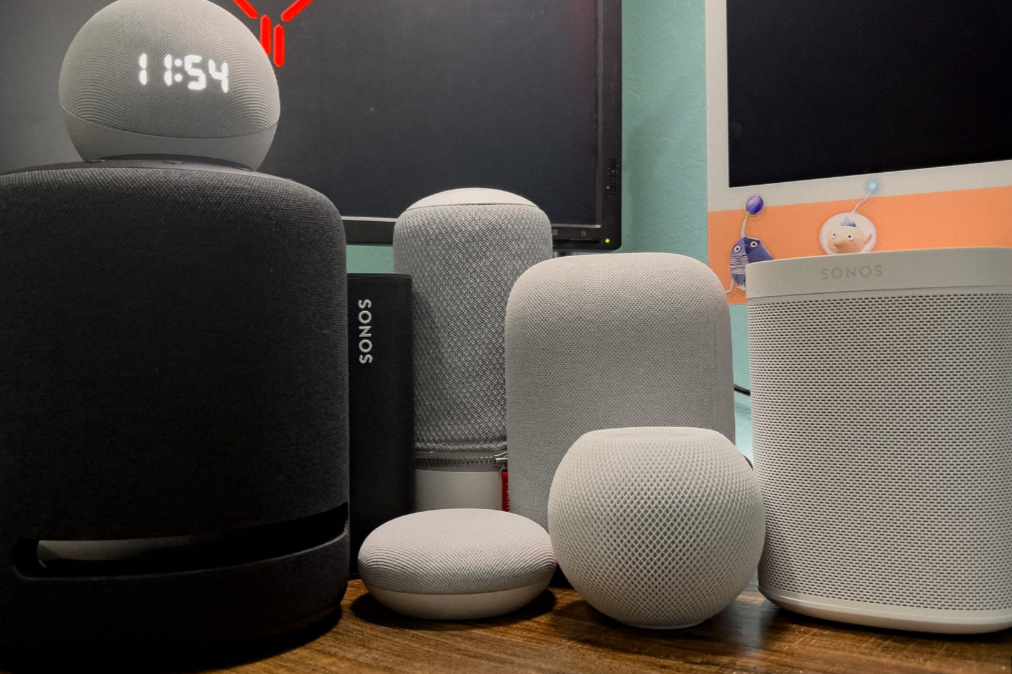
Imagine asking your speaker to play your favorite song, tell you the weather, or remind you to feed your pet, all without lifting a finger. Smart speakers do just that! In this guide, we’ll explore the best smart speakers with Alexa, Google Assistant, and Siri—and help you find the one that fits your home, your voice assistant, and your budget.
What Is a Smart Speaker—And Why You’ll Love It
Smart speakers are small gadgets that let you talk to the internet. You can ask for music, check the news, set reminders, or control lights and gadgets—all using your voice.
- They make life easier
- You get hands-free help
- You can control things around your house by just speaking
Top Smart Speakers by Voice Helper
Alexa Speakers—Great for Smart Homes
Many gadgets work with Alexa. Here are top picks:
- Echo Studio – Big, full sound. Perfect for music lovers or mini home theaters.
- Echo (4th Gen) – Balanced quality sound and smart home control built in.
- Echo Dot (5th Gen) – Small and affordable. Great for rooms where space or budget is tight.
Google Assistant Speakers—Smart Search and Google Services
These speakers are best if you’re into Google apps like Calendar, Maps, or YouTube.
- Nest Audio – Great sound, connects easily with Google services.
- Nest Mini – Super compact and budget-friendly.
- Home Max – High-end audio and loud, perfect for big rooms (though it’s older, still loved).
Siri Speakers—Perfect for Apple Fans
If you love your iPhone, iPad, or Mac, these are your best bets:
- HomePod Mini – Great sound in a small size, works seamlessly with Apple.
- HomePod (2nd Gen) – Premium sound and full Siri power—ideal for top audio quality fans.
Extra Options Worth Mentioning
Beyond the big three assistants, there are a few neat alternatives worth thinking about:
- Sonos Era 100 – Amazing sound, works with Alexa or Sonos voice. Top overall choice.
- Bose Smart Speaker 500 – Rich music quality with Alexa and Google built-in.
- Denon Home 150 – Small size, deep bass, supports both Alexa and Google.
Quick Buying Guide—Choose What Fits You Best
- Voice assistant you already use?
Stick with Alexa, Google, or Siri to match your other devices. - Where will it go?
Small speakers are best for desks or kitchens, big ones for living rooms. - How important is sound?
If you want top music quality, go for Sonos, Echo Studio, or Bose.
FAQs—Your Smart Speaker Questions Answered
Q1: Can any smart speaker control home gadgets?
Yes! Alexa, Google, and Siri all control lights, plugs, cameras—just check your device works with the speaker.
Q2: Do they work without Wi-Fi?
Mostly they need Wi-Fi to do tricks. But some let you play music via Bluetooth.
Q3: Which assistant is the smartest?
Google is great for quick answers and searching. Alexa works with lots of smart gadgets. Siri is best if you’re already using Apple gear.
Q4: What about privacy?
All brands offer ways to mute the mic. Always explore settings to keep things private.
Real-Life Example: Setting Up a Music Party
Meet Sarah. She loves Apple stuff, so she chose HomePod Mini. It plays her music, helps control lights, and sets timers while she bakes. Her brother, who owns an Android phone and lots of smart bulbs, went with a Google Nest Audio. Easy setup, clear answers, and hands-free fun!
Smart speakers are like helpful little assistants that listen and act when you ask—playing tunes, answering questions, or managing your home. Picking one comes down to which voice assistant you use, how it sounds, and where you’ll place it. Alexa is great for smart-home power; Google shines in search and daily tasks; Siri is smooth if you’re in the Apple world. The Sonos, Bose, and Denon models offer top-tier sound if that’s what matters most. Choose the one that fits your life—and don’t forget to enjoy that magic “Hey…” moment!
