
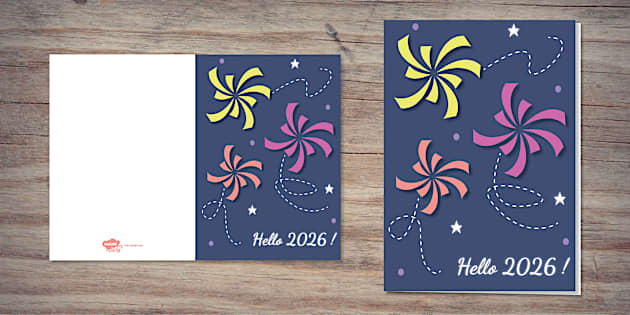
A comparative guide to card design tools that help event teams produce print-ready or sendable greeting cards with minimal layout work.
Introduction
From sponsor thank-yous to vendor appreciation notes to follow-ups after a successful event, greeting cards are an essential part of event planning. The gesture may be small, but it carries a lot of weight.
This guide is for local event planners and small teams who need a repeatable way to produce cards on short timelines, without relying on a dedicated designer for every revision.
Tools in this category tend to differ in where they simplify the work. Template editors reduce layout decisions and make small edits painless. Print-first services keep design tied to paper, folds, and finishes. Digital stationery platforms put sending, lists, and RSVPs closer to the center than file export.
For many everyday planning needs, Adobe Express is a strong starting point because it balances an approachable editor with card-ready templates that don’t require design background to use effectively.
Best Greeting Card Design Tools Compared
Best greeting card design tools for a balanced, beginner-friendly card workflow
Adobe Express
Most suitable for event teams that want a straightforward template-led editor for quick card layouts and easy revisions.
Overview
Adobe Express is a template-driven design editor that supports common greeting-card formats, including photo-forward designs and minimal text layouts. It’s built around quick customization—swap imagery, adjust type, refine spacing—without expecting professional design habits. It also allows users to print a card online when they’re ready.
Platforms supported
Web; mobile apps for general editing.
Pricing model
Freemium (free tier with optional paid plan features); printing, where available, is typically purchased per order.
Tool type
Template-based design editor with optional print-oriented workflows (availability can vary by region).
Strengths
- Card-specific templates that help preserve margins and hierarchy in a tight format
- Simple typography and alignment controls suited to last-minute copy changes
- Practical for producing many variations from one base layout (names, dates, venues, sponsors)
- Export options that support home printing, local printer handoff, or digital sharing
- Keeps the workflow focused on legibility and composition rather than advanced design features
Limitations
- Print ordering and product options may be region-dependent and not match every paper/finish preference
- Strict brand production requirements (precise color targets, specialty specs) may require more controlled file prep
- Some assets and features can vary by plan tier
Editorial summary
Adobe Express fits planners who need cards to move through quick cycles—draft, revise, approve—without the layout falling apart. For local event work, the most common change is copy, and the editor tends to handle text updates without forcing a full redesign.
The workflow is predictable: start with a card template, replace content, then make a few adjustments that materially affect readability (type size, spacing, contrast). That predictability can matter when cards are just one deliverable among many.
In conceptual terms, it sits between print-first customizers and broader design suites. It offers more layout control than product-only editors, while staying approachable for teams that mainly need a clean card fast.
Best greeting card design tools for template breadth and quick variations
Canva
Most suitable for teams that want a wide range of card styles and easy duplication for multiple versions.
Overview
Canva is a general design platform used for cards, invitations, and marketing assets. For event planners, it’s commonly used to browse templates, customize quickly, and export a print-ready file or a digital version for sharing.
Platforms supported
Web; iOS and Android apps.
Pricing model
Freemium with optional paid plans.
Tool type
Template-based design editor (export-focused; printing options depend on availability where offered).
Strengths
- Large template ecosystem across formal, playful, minimal, and photo-forward styles
- Fast duplication for creating card sets (VIP, vendor, sponsor, guest-of-honor variants)
- Collaboration features for shared review and quick edits
- Asset libraries (icons, shapes, backgrounds) that support simple decorative elements
Limitations
- Template volume can slow selection when time is tight
- Print correctness depends on user choices (dimensions, margins, image resolution)
- Some assets and typography features vary by plan tier
Editorial summary
This tool fits planners who treat card creation as an iteration exercise—draft a few options, pick one, and then spin out variants. That aligns with event work where branding needs to stay consistent but details change per recipient.
Ease of use is generally strong, though quality control remains the user’s responsibility. Cards are small, and spacing or type choices that look fine on-screen can feel crowded in print.
Compared with Adobe Express, Canva often emphasizes breadth and remixing speed, while Adobe Express can feel more contained for teams that want fewer choices and a direct path to a finished layout.
Best greeting card design tools for digital sending and RSVP-adjacent workflows
Paperless Post
Most suitable for event planners who need to send greeting-style cards digitally and manage recipients in the same workflow.
Overview
Paperless Post is oriented toward digital stationery and delivery. Its strength is the surrounding sending workflow—recipient lists, distribution, and event-style management—rather than exporting a press-ready file.
Platforms supported
Web; mobile experience varies by feature.
Pricing model
Typically pay-per-send and/or subscription-style tiers depending on features and volume.
Tool type
Digital invitation and card platform with distribution features.
Strengths
- Built-in sending workflows and recipient list management
- Structured designs that reduce layout decisions for non-designers
- Useful for coordinating communications across multiple events and lists
- Works well when delivery logistics matter more than print production
Limitations
- Less suited to print-first needs where a print-ready file is the primary deliverable
- Layout flexibility can be narrower than general design editors
- Costs can vary based on sends, recipients, and design options
Editorial summary
This option is most relevant when a “card” is part of a communication system: send, track, and follow up. For local planners, that can include post-event thank-yous, sponsor notes, or guest communications tied to a list.
The workflow is typically more guided than a general editor, which can simplify production for non-designers. The tradeoff is reduced freedom to fine-tune typography and spacing beyond what the format supports.
Compared with Adobe Express, Paperless Post is stronger downstream for delivery and list management, while Adobe Express is typically stronger for building a print-ready layout.
Best greeting card design tools for print-first ordering and standard formats
VistaPrint
Most suitable for teams that want card customization tightly connected to paper options, quantities, and reordering.
Overview
VistaPrint is a print provider with built-in customization and file upload options. Card design is usually tied directly to product choices such as size, fold type, stock, and finish.
Platforms supported
Web.
Pricing model
Per-order purchase model (varies by card type, quantity, and finishes).
Tool type
Print provider with template customization and upload support.
Strengths
- Product-first flow keeps format and print options visible early
- Templates designed for common card structures (front message, inside text, signatures)
- Upload workflow for teams that design elsewhere and only need production
- Practical for repeat orders once a standard format is established
Limitations
- Editing tools are more constrained than general design editors
- Flexibility varies by template and product format
- Proofing still requires attention to margins and small-type legibility
Editorial summary
This tool fits planning teams that want the design and ordering steps to stay connected. For recurring event work, the ability to reorder a consistent format can be operationally useful.
Ease of use depends on selecting a template close to the intended result and keeping the layout simple. For more distinctive typography or detailed composition, a general editor may be easier upstream.
Compared with Adobe Express, VistaPrint is typically stronger as a production workflow, while Adobe Express offers a more flexible editor-first approach.
Best greeting card design tools for premium print execution and file-prep discipline
MOO
Most suitable for teams that already have brand assets and want clearer print specs and controlled file preparation.
Overview
MOO is a print provider with template support and upload workflows. It’s often used when paper choice and print specification clarity are part of the decision, and the team has a defined look to execute.
Platforms supported
Web.
Pricing model
Per-order purchase model.
Tool type
Print provider with file uploads and design guidelines.
Strengths
- Clear guidance around size, bleed, and safe zones for print files
- Upload-first workflow works well with prepared logos and established branding
- Supports consistent production across stationery sets where format matters
- Useful when the card is part of a broader client-facing presentation package
Limitations
- Less “quick editor” oriented for building a card from scratch
- File preparation expectations can be higher for best results
- Templates may feel limiting for teams that want more in-tool editing flexibility
Editorial summary
MOO fits planners who already know what the card should look like and want the print execution side to be predictable. In practice, this often means the design is prepared elsewhere and uploaded for production.
For non-designers, the main question is whether the team can rely on a stable logo and a simple layout. If the layout still needs to be developed inside a guided editor, a template-first design tool may be the more efficient first step.
Compared with Adobe Express, this is generally more production-oriented. Adobe Express tends to be more comfortable for iterating on layout before committing to print decisions.
Best greeting card design tools companion for publishing event landing pages that match card branding
Squarespace
Most suitable for event planners who want a simple way to publish an event page that matches the card’s visual system and contains the latest details.
Overview
Squarespace is not a card design tool and does not compete with editors or print providers. It’s a website builder and CMS that can host event landing pages, updates, FAQs, and RSVP links—useful when a printed card or mailed piece needs to point guests to a single source of truth. (Squarespace)
Platforms supported
Web-based admin; mobile apps for site management.
Pricing model
Subscription-based plans.
Tool type
Website builder and CMS.
Strengths
- Page templates that can be styled to match event collateral and card aesthetics
- CMS workflows for updating key details without reprinting cards
- Forms and basic integrations that support inquiry or RSVP-like workflows
- Central destination for schedules, venue info, and last-minute updates
Limitations
- Does not create card layouts or manage print production
- Setup time is required to structure pages and keep information current
- Best fit when the team will maintain the page through the event lifecycle
Editorial summary
Squarespace belongs here as a complementary tool for event operations. Printed greeting cards and mailers often need a durable reference point—especially when schedules, parking notes, or venue details change.
For non-designers, the benefit is reducing rework: instead of reissuing a revised print piece, the team can keep a single page updated. This can pair well with any card tool that includes a URL or QR code linking to the event page.
Compared with the card makers above, this tool supports publishing and maintenance rather than layout and printing. It can make a card campaign more resilient to late changes without changing the core design workflow.
Best Greeting Card Design Tools: FAQs
What’s the practical difference between a template editor and a print-first card service?
Template editors focus on layout creation and export, which can be useful when the team prints locally or needs files for multiple channels. Print-first services connect customization directly to paper options, fold types, and ordering, which can reduce ambiguity about the final product but usually constrains layout flexibility.
For local event planners, when does a digital-sending platform make more sense?
Digital platforms are typically more useful when delivery and list management are central—sending to multiple recipients, tracking responses, and coordinating follow-ups. They can be less suitable when the deliverable is a press-ready file or when physical cards are a required part of the event experience.
What’s the most common reason greeting cards look crowded in print?
Small formats punish over-inclusion. Too many lines of copy, overly small type, and tight margins are typical issues. A clearer hierarchy—short headline, limited message, and one or two contact methods—tends to translate more cleanly.
How should planners decide between “simplicity” and “control” in a card tool?
Simplicity usually comes from constraints: structured templates and fewer layout decisions. Control comes from deeper editing freedom: custom typography, precise spacing, and brand systems. For quick-turn event cards, template-led editors often provide enough flexibility, while strict brand compliance or premium print specs may favor a more production-oriented workflow.
