Close Menu

    Subscribe to Updates

    Get the latest creative news from FooBar about art, design and business.

    What's Hot

    Rolex GMT-Master II Clone Battle: Pepsi vs. Batman vs. Sprite

    June 24, 2026

    Complete GG88 Online Games Guide for New and Experienced Players

    June 23, 2026

    Everything You Need to Know About 23win and Its Online Gaming Community

    June 23, 2026
    Facebook X (Twitter) Instagram
    • Privacy Policy
    • Disclaimer
    • Terms and Conditions
    Facebook X (Twitter) Instagram Pinterest VKontakte
    GeekMill
    • Technology
    • Apps
    • Artificial Intelligence
    • Computers
    • Gadgets
    • Gaming
    • Make Money Online
    GeekMill
    Home»Blog»How to Merge Video, Audio, and Subtitles into One MKV File with MKVToolNix
    Blog

    How to Merge Video, Audio, and Subtitles into One MKV File with MKVToolNix

    Mr yousafBy Mr yousafAugust 16, 2025
    Facebook Twitter Pinterest LinkedIn Tumblr Email
    Share
    Facebook Twitter LinkedIn Pinterest Email

    Want to put your video, audio, and text (subtitles) together into a single file that plays smoothly? The MKVToolNix merge guide shows you exactly how to do that. Using a friendly tool called MKVToolNix, you can mix all your media tracks into one MKV file—without losing quality. This guide walks you through it step by step, with clear examples and helpful tips.

    What Is MKV and Why It’s Useful

    MKV (Matroska) is a type of file that can hold video, multiple soundtracks, subtitles, and even chapters—all in one place. It’s like a digital box that holds all the parts of your video together.

    MKVToolNix is a free, open-source toolset you can use to create, edit, and manage MKV files. It works on Windows, Mac, and Linux.

    Why Merge Files into an MKV?

    • All parts in one file: Keep video, audio, and subtitles together.
    • High quality kept intact: The original picture and sound aren’t changed.
    • Flexible playback: Choose which audio or subtitle to play when watching.
    • Lightweight and efficient: Fast operations, even with large files.

    Tools You Can Use

    Here’s a quick comparison of common tools for merging videos:

    ToolEase of UseQuality Control
    MKVToolNixBeginner-friendly GUI + advanced optionsNo re-encoding, keeps quality
    FFmpegCommand-line expert levelFull control, but harder to use
    OthersLess ideal (like VLC, Bandicut)May re-encode or have limits

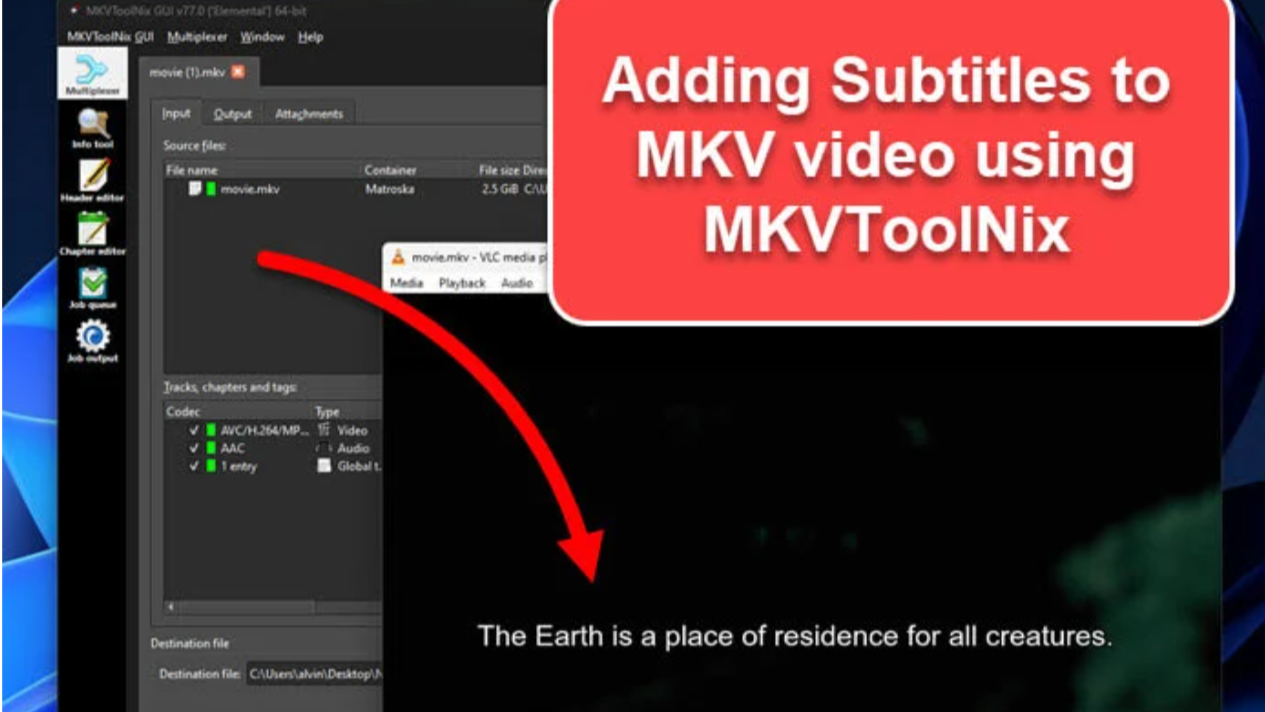
    Step-by-Step: Using MKVToolNix (GUI)

    Step-by-Step Guide to Merge Files

    1. Download and install MKVToolNix from its official site.
    2. Open the MKVToolNix GUI.
    3. Add your files:
      • Click “Add Source Files”.
      • Choose your video, audio, and subtitle files.
    4. Select track options:
      • Ensure the right tracks are checked for inclusion.
      • Mark defaults if needed (e.g., default audio or subtitle).
    5. Start merging:
      • Click “Start Muxing” (or “Start Multiplexing”).
      • The program creates your new MKV file with all tracks included.

    You can also append files—like joining two video parts—by dragging the second file and choosing “Append to existing source” when prompted.

    Advanced Tips & Tricks

    • Handling many files at once: The GUI can merge multiple files if you add them carefully. Look for settings under Preferences → Multiplexer → “Detect file name sequences” to avoid unwanted grouping.
    • Manual batch processing: For power users, scripting with mkvmerge in a shell like bash makes it easy to batch-mux many files.
    • Ensure file compatibility: When appending, both files should have the same video resolution, codecs, and frame rate—otherwise, joining may fail.

    What If Things Don’t Sync?

    • Out-of-sync audio/subtitles? You can adjust delays or time offsets with ffmpeg or editing tools.
    • Errors or failed merges? Make sure no files are locked or corrupted. Try using MKVExtract to isolate problem tracks.

    Extra Things You Can Do with MKVToolNix

    • Add chapters for easy navigation between scenes.
    • Edit metadata, like titles or language tags for tracks.
    • Extract tracks using MKVExtract.
    • Check tracks and codecs with MKVInfo.
    • Edit existing properties with mkvpropedit.

    Frequently Asked Questions (FAQ)

    Q: Is MKVToolNix free?
    A: Yes, it’s completely free and open-source.

    Q: Which platforms can I install it on?
    A: It works on Windows, macOS, and Linux.

    Q: Can I keep subtitles in multiple languages?
    A: Absolutely! Just include each subtitle track when merging.

    Q: Can I merge video parts into one movie?
    A: Yes—use “Append files” in the GUI. Just make sure the parts match in format.

    Q: What if MKVToolNix groups my files wrongly?
    A: Turn off “Detect file name sequences” in preferences under Multiplexer.

    Merging video, audio, and subtitles into one MKV file with MKVToolNix is powerful, easy, and keeps your media high quality. Whether you’re a beginner using the GUI or an advanced user scripting commands, this tool makes media management smoother and more flexible. Get started today—your videos will be cleaner, smarter, and easier to share.

    Share. Facebook Twitter Pinterest LinkedIn Tumblr Email
    Mr yousaf

    Related Posts

    Rolex GMT-Master II Clone Battle: Pepsi vs. Batman vs. Sprite

    June 24, 2026

    Complete GG88 Online Games Guide for New and Experienced Players

    June 23, 2026

    Everything You Need to Know About 23win and Its Online Gaming Community

    June 23, 2026

    MMOO Community Guide: Connect, Compete, and Enjoy Online Gaming

    June 23, 2026
    Add A Comment

    Comments are closed.

    Related Posts

    Rolex GMT-Master II Clone Battle: Pepsi vs. Batman vs. Sprite

    By Alfa Team

    Complete GG88 Online Games Guide for New and Experienced Players

    By Alfa Team

    Everything You Need to Know About 23win and Its Online Gaming Community

    By Editorial Team
    Latest Posts

    Rolex GMT-Master II Clone Battle: Pepsi vs. Batman vs. Sprite

    June 24, 2026

    Complete GG88 Online Games Guide for New and Experienced Players

    June 23, 2026

    Everything You Need to Know About 23win and Its Online Gaming Community

    June 23, 2026

    MMOO Community Guide: Connect, Compete, and Enjoy Online Gaming

    June 23, 2026
    About Us

    GeekMill.com is a tech and AI blog delivering fresh takes on the latest trends and tools.
    From AI breakthroughs to coding tips, we break down complex topics into simple reads.
    Join a growing community of curious minds and stay ahead in the digital age.

    สล็อต | สล็อต | คาสิโนออนไลน์ | สล็อต | สล็อตเว็บตรง | สล็อตเว็บตรง | แทงหวย | แทงหวย24 | บาคาร่า | ดูบอลสด | เว็บตรง | สล็อตเว็บตรง | หวยออนไลน์ | บาคาร่า | Sunwin| UFA365 | แทงหวยออนไลน์ | สล็อต | Sun win | บาคาร่า | บาคาร่า | vegus24 | slot | UFABET | sanclub | AlgorynMunt Group | sadewa77 | | แทงบอล | ufa365 | UFABET | slot gacor | Ufabet | เว็บหวยออนไลน์ | Jun88 | สล็อต | ยูฟ่าเบท | บาคาร่าออนไลน์ | bk8 | sumvip | แทงหวย | https://kqbd.locker| https://b52club.trading | https://999bet.com.im/ | UFABET | แทงบอลโลก | ทดลองเล่นสล็อต| Ufabet | ufabet888 | f8bet | สล็อต | agen bola | Bay789 | 7m cn | 789club | สล็อตเว็บตรง | สล็อตเว็บตรง | Hitclub | Sunwin | jun88 | new88 | บาคาร่า | เว็บพนันออนไลน์ | tỷ lệ kèo | สล็อต | หวยออนไลน์ | สล็อตเว็บตรง | สล็อตเว็บตรง | Slot | top game bài đổi thưởng | ufabet | UFA365 | เว็บแทงบอล | เว็บหวยออนไลน์ | สล็อตวอเลท | บาคาร่า | แทงบอล | สล็อตเว็บตรง | สล็อตเว็บตรงง | UFABET | ufabet เข้าสู่ระบบ | betflix | ทางเข้าufabet | ufabet | ufa | Wild Bandito| Wild Bandito | Wild Bandito | sunwin | xoilactv | สล็อต

    Related Posts
    • Rolex GMT-Master II Clone Battle: Pepsi vs. Batman vs. Sprite
    • Complete GG88 Online Games Guide for New and Experienced Players
    • Everything You Need to Know About 23win and Its Online Gaming Community
    Get it Touch

    Have questions or ideas? Get in touch—we’d love to hear from you!

    Email: teclayers[@]gmail.com

    Address: 425 Market Street, Suite 900, San Francisco, CA 94105, USA

    | xem bóng đá | xoilactv | xem trực tiếp bóng đá | xôi lạc tv | xoilactv | cakhiatv | cakhia | cakhia | 90 phút tv | trực tiếp bóng đá | 90phut | xem bóng đá | xem bóng đá | xem bóng đá | trực tiếp bóng đá | truc tiep bong da | https://tructiepbongda.mobile/ | cakhia trực tiếp bóng đá | bóng đá trực tuyến | xoilac

    Facebook Instagram Pinterest YouTube
    • Home
    • Privacy Policy
    • About Us
    • Disclaimer
    • Terms and Conditions
    • Contact Us
    © 2026 GeekMill | All Rights Reserved

    Type above and press Enter to search. Press Esc to cancel.