
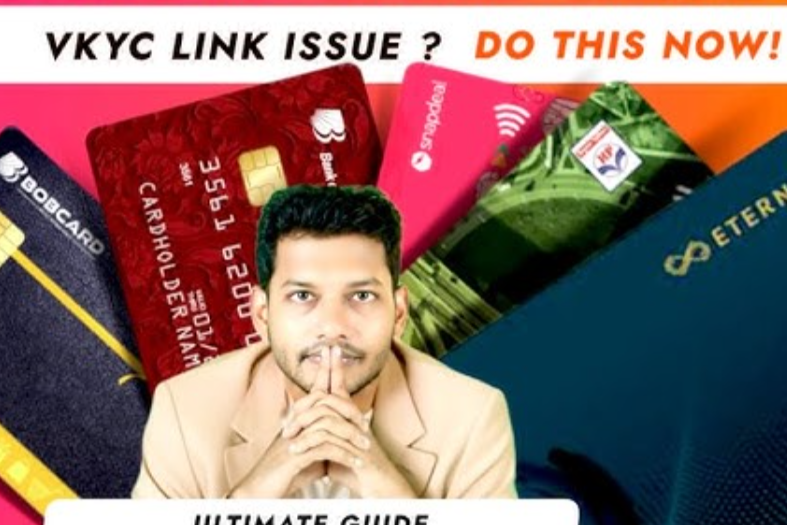
You’ve applied for a Bank of Baroda (BOB) credit card and completed your VKYC video verification—great job! But now you’re stuck waiting, wondering: “What’s next, and how long will it take?” This guide explains everything in simple, friendly language so you’re never left guessing again.
What Is VKYC and Why It Matters
VKYC stands for Video Know Your Customer. It’s how the bank checks your identity through a live video call—no need to visit a branch. Once you complete VKYC, the bank can move ahead with your credit card approval.
How to Check Your BOB Credit Card VKYC Status
Here are three easy ways to see how your application is doing:
1. Use the BOBCARD Website or App
Go to the BOBCARD application-tracking portal and enter your application number, PAN, or mobile number to view your status. You’ll see whether it’s “Approved,” “In Progress,” or “Rejected.”
2. Watch Your Email and SMS
The bank sends updates through your registered email and phone. Expect messages that tell you whether your VKYC is accepted or if more information is needed.
3. Contact Bank of Baroda
If you’re not getting updates, reach out to customer care or email support. Be ready to share your application details so they can help faster.
Why Your Application Might Be Delayed
Several things can slow down the VKYC process:
- Unclear or missing documents—the bank may ask for better images or extra proof.
- Bad video quality—poor lighting or shaky video can lead to delays.
- Glitches in the system—the portal could be having technical issues.
- High application volumes—festivals or offers can flood the system, slowing everything down.
Real Experiences from Other Users
On online forums, many applicants share their stories:
“Cards arrived in 20–25 days even with no calls or updates.”
“Even after delivery, the system kept asking for documents.”
“No VKYC link was sent; support said it was a technical issue.”
These experiences show why you must stay alert and follow up when needed.
Tips for a Smooth VKYC Process
Here’s how to make things go faster:
- Double-check your documents—make sure they’re clear and complete.
- Choose a quiet, well-lit spot for your video call.
- Follow up promptly if you haven’t received links or updates.
- Save any emails or messages, and mention them when you contact support.
What to Do If Your Application Is Rejected
Even if it doesn’t go through, you have options:
- Ask why—reach out to customer care to get a clear reason.
- Fix any errors—improve your documents, address, or credit profile.
- Reapply when ready—once everything looks good, try again.
Extra Subtopics & FAQs
How long should VKYC take?
Most people see status updates within a week, but busy times can stretch this to two or three weeks.
What documents are needed?
You’ll usually need a valid ID (like your Aadhaar or passport), proof of address, and income documents if required.
What if I never get the VKYC link?
Email support with a screenshot of the message you see. They can resend the link or suggest next steps.
Does having an existing BOB account help?
Sometimes you might skip VKYC or physical checks, but this varies and isn’t guaranteed.
FAQs at a Glance
| Question | Answer |
|---|---|
| What is VKYC? | A video-based identity check to confirm you’re eligible for a credit card. |
| How do I check the status? | Use the BOBCARD site/app or watch for email/SMS updates. |
| What slows it down? | Bad documents, poor video, tech issues, or high traffic. |
| What if it’s rejected? | Ask why, fix issues, and try again when ready. |
| I got no link—what now? | Contact support with proof and ask them to resend it. |
Waiting for your BOB credit card after VKYC doesn’t have to be mysterious. Use the tracking tools, keep your eye on updates, and follow up if something stalls. With a little patience and action, your application will likely move forward sooner than you think. Good luck—you’re on your way to getting your card!
