
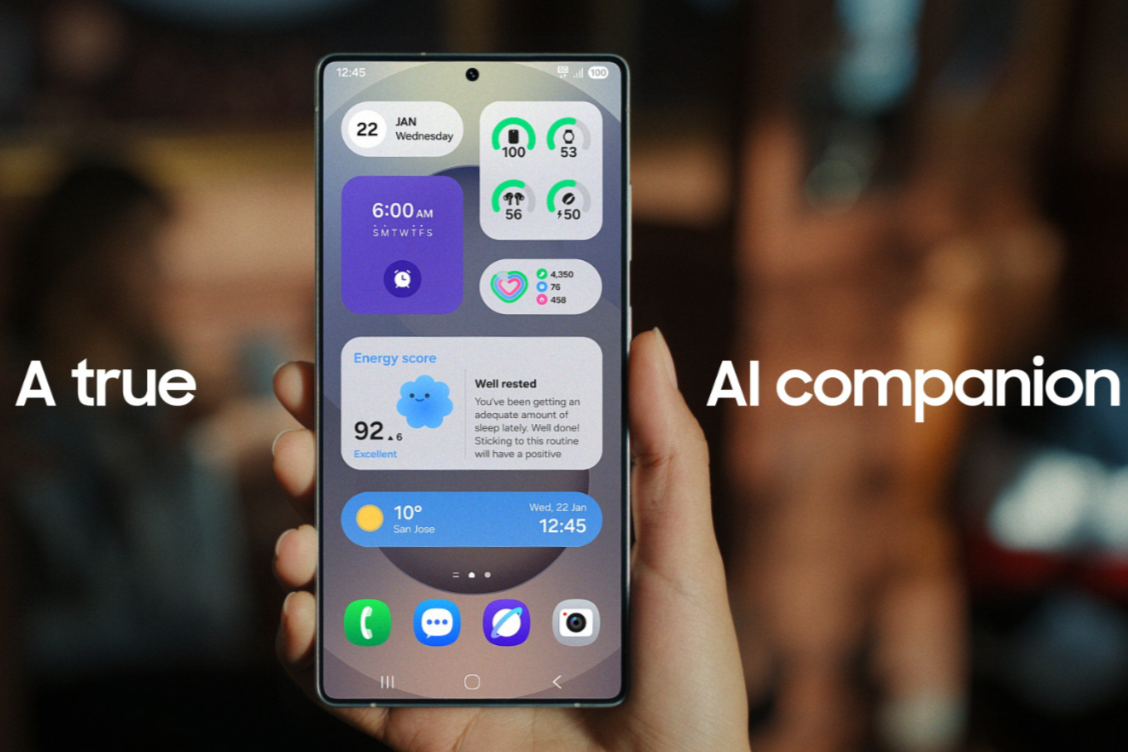
Picture this: your Samsung Galaxy phone gets a fresh new look with smart AI features that feel like magic—now that’s exciting, right? That’s exactly what the One UI 7 update brings. Let’s explore when it’s coming to your device, what’s inside it, and how you can get it—all explained simply and clearly.
What Is One UI 7?
- One UI 7 is Samsung’s newest custom Android interface, built on Android 15.
- It brings cool AI-powered tools, a cleaner design, better battery use, and easier controls.
- It separates notifications from quick settings so you access important info with fewer swipes.
Which Devices Got It First?
- Samsung launched One UI 7 starting April 7, 2025, with early access for Galaxy S24 series, Z Fold6, and Z Flip6.
- Devices like S23, Z Fold5, Z Flip5, and Tab S9 and S10 followed soon after.
Rollout Timeline: When Will Your Device Get the Update?
Samsung released One UI 7 in phases from April to June 2025:
- April:
- Galaxy Z Fold5, Z Flip5
- Tab S10+, Tab S10 Ultra
- S23, S23+, S23 Ultra
- S24 FE
- May:
- Z Fold4, Z Flip4
- Tab S9 series
- S23 FE, Z Fold3, Z Flip3
- A34, A35
- S22 family
- S21 series
- A16, Quantum models
- Tab S8 series
- June:
- Tab S9 FE and FE+
- A53, A33, A25, A24, A15
- Tab A9, Tab A9+
- Active series tablets
- Other niche models like Quantum3, Jump and Buddy series
Why the Phased Rollout?
Samsung uses a tiered approach to catch and fix bugs early—starting with flagship models and expanding to other devices gradually for smoother performance.
What’s New in One UI 7?
- Fresh Design Redo
- New icons, widgets, and lock screen layout make your experience feel modern and clean.
- Smarter AI Everywhere
- Galaxy AI makes things like camera features, natural language searches, and multitasking easier and faster.
- Side-by-Side Panels
- Swipe down from the right to open quick settings; swipe from anywhere else to see notifications—one swipe, less hassle.
- Power and Battery Upgrades
- Better battery life and memory use make apps run smooth without draining power.
- More Customization
- New themes, widget choices, and lock screen styles tailor your phone to your taste.
How to Check If the Update Is Available
- Connect to Wi-Fi and make sure your battery’s around 50% or more.
- Open Settings → Software Update (or System Updates).
- Tap Download and Install, or Check for updates.
- If One UI 7 is available, it’ll show up—just tap to start.
FAQs
Q: When did the One UI 7 update begin?
A: It started on April 7, 2025, for Galaxy S24 series, Z Fold6, and Z Flip6.
Q: Which devices were in the first group?
A: Early rollouts included Galaxy S24 series, Z Fold6, Z Flip6.
Q: What was the full schedule?
A: From April to June, rolled out across devices like S23, S22, S21, A-series, Z-series, and tablets.
Q: Does this update improve battery and speed?
A: Yes! It’s optimized for better power use and smoother app activity.
Q: How do I update manually?
A: Go to Settings → Software Update → Download and Install. That’s it!
Make the Most of Your Galaxy
One UI 7 is not just an update—it’s a smarter, cleaner, and faster experience. Whether you’re on a new S25, an older S21, or a mid-range A-series, there’s something in it for you. Want help checking your device or preparing for the update? Just ask!
