
Why Instagram Doesn’t Show All Mutual Followers (And How to Fix It)
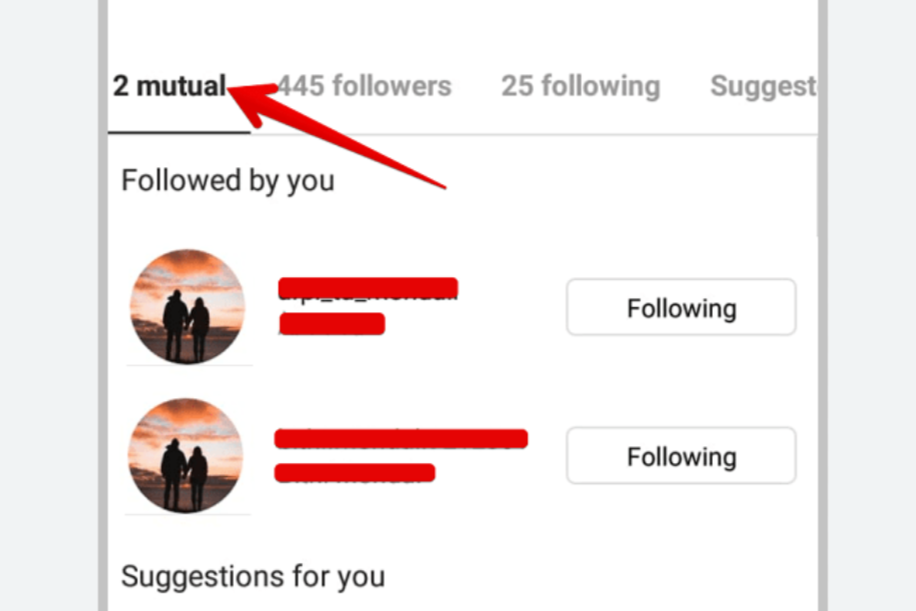
Have you ever noticed that Instagram tells you someone has, say, 10 mutual followers, but you only see 5? It feels confusing, right? Let’s break it down in simple words:
What the Article Covers
You’ll learn:
- What “mutual followers” means.
- Why Instagram might not show all of them.
- Real stories from users who noticed the same issue.
- Easy fixes to try if you’re curious.
What Are “Mutual Followers”?
“Mutual followers” are people that both you and someone else follow on Instagram . When you see “Followed by [Username] and X others,” that’s showing mutuals, but not always all of them.
Why Can’t Instagram Show All of Them?
1. Private Accounts and Limited Access
If the account you’re viewing is private and you don’t follow them, Instagram won’t let you see mutual followers—even if they follow you back .
2. Blocks, Restrictions, or Deactivated Accounts
If someone blocked or restricted you, Instagram hides parts of their profile, including mutuals . And if a mutual follower disabled or deleted their account, Instagram may still count them in the numbers—even though they don’t show up .
3. Old App Versions or Glitches
Using an outdated version of Instagram can cause display errors—and mutual followers might not show correctly because of those glitches .
4. Instagram’s Own System Changes
Some users report that Instagram simply stopped showing mutual followers on profiles—maybe it’s an algorithm change or bug .
5. Instagram Picks Which Mutuals to Show
Instagram doesn’t always list every mutual follower. Instead, it shows the ones it thinks are most relevant based on interactions and popularity.
What Real Users Are Saying
“Same here—I can’t see any mutuals either. Problem started maybe one day ago.”
— Reddit user
“I just assume it has to do with privacy settings.”
— Reddit user
One user even logged a bug report with Instagram and saw it fixed after a few days .
How to See More Mutual Followers
| Step | What to Try |
|---|---|
| 1. Update Instagram | Go to your app store and install any available updates to fix bugs . |
| 2. Follow the Private Account | If it’s private and you aren’t following them yet, send a request—once accepted, you might see mutuals . |
| 3. Check with a Friend’s Account | If you suspect you’re blocked, try viewing that profile from another account to compare. |
| 4. Wait for Bug Fixes | If other users report the issue, it might be Instagram’s bug. Filing a support report could help. |
| 5. Understand Limitations | Instagram chooses which mutuals to display—so the number shown might be bigger than what you see |
Extra Tips
- Mutual followers mean shared followings, but not necessarily people who follow you both back.
- If someone deactivates their account, they may still count in totals but not appear in listings.
- Glitches happen—sometimes the mutual list simply disappears for a while.
Quick FAQ
Q: Why does it say 3 mutual followers, but I only see 2?
Because one might have deactivated their account or changed privacy settings. Instagram counts but doesn’t show them .
Q: Can I hide mutual followers on my profile?
Not completely. If you switch to private, strangers won’t see your followers or mutuals. But people you approve still can .
Q: What if Instagram just isn’t showing mutual followers anymore?
It might be a bug or algorithm change—uploading an updated app or reporting it may help
Instagram’s mutual followers tool is helpful, but not super reliable. Between privacy settings, app bugs, and hidden or deactivated accounts, what you see may not match what’s there. Updating your app, following private profiles, or using a different account to check may help—but sometimes, it’s just Instagram’s system being weird.
